Your phone battery is a consumable part that slowly wears out, and the clearest signs it needs replacing are fast draining, sudden shutdowns while charge remains, slow charging, a phone that runs hot, and a back cover or screen that is starting to bulge. If you are seeing one or more of these, the battery has likely dropped below healthy capacity, and no amount of setting changes will bring it back. This guide walks through each warning sign, how to check your own battery health, what to rule out first, and when a professional battery replacement is the right call.
Talk to a Repair Tech: (321) 300-2023 - Phone Battery Replacement in Orlando
Why phone batteries wear out in the first place
Every modern phone uses a lithium-ion battery, and lithium-ion chemistry ages from the day it leaves the factory. Two things wear it down: charge cycles (one cycle is a full 0-to-100% worth of use, whether that happens in a single day or spread across several) and heat. Most phone batteries are built to hold about 80% of their original capacity for a few hundred charge cycles - often around 500, though newer iPhones are rated to last longer - after which capacity falls off more noticeably.
In everyday terms, that usually means a noticeable decline somewhere around the two-year mark for a phone charged daily. Once a battery drops under roughly 80% health, it stores less energy, delivers current less smoothly, and generates more heat doing it. That is the root cause behind every symptom below. A degraded battery is not a defect or something you did wrong; it is simply the part reaching the end of its service life.
The 5 signs your phone battery is failing
1. It drains far faster than it used to
The most common sign is a battery that empties quickly - dropping 10-20% while barely touched, or needing a top-up by midday when it used to last until night. Some background drain is normal, but a healthy battery should not shed a large chunk of charge sitting idle. When your usage has not changed but your screen time between charges has collapsed, the battery is holding less energy than it once did.
Before blaming the battery outright, it is worth ruling out a rogue app or a recent update (more on that below). But if the drain comes paired with any of the other signs here, wear is the likely answer.
2. It shuts down suddenly, even with charge left
A phone that powers off at 30%, 40%, or even 50% - and sometimes only comes back once it is plugged in - is showing one of the clearest symptoms of a worn battery. As the cells age, their internal resistance rises and they can no longer deliver the burst of power the processor demands, so the phone protects itself by shutting down. This happens more in cold weather, which briefly reduces a weak battery's output even further.
On iPhones, repeated unexpected shutdowns trigger Apple's performance management feature, which quietly slows the phone to avoid another crash. If your iPhone has become sluggish and prone to shutting down, a fresh battery often restores both the runtime and the lost speed.
3. It charges slowly, or the health reading has dropped
An aging battery often takes longer to charge and may stall at a percentage for a while. First, rule out the obvious: a frayed cable, a weak charger, or lint packed into the charging port cause slow charging far more often than people expect. If you have tried a known-good cable and adapter and charging is still crawling - or your phone's own battery health readout has fallen well below 100% - the cell itself is likely the problem.
4. It runs hot during normal use or while charging
A phone that feels hot when you are only texting, scrolling, or charging it on the nightstand is worth paying attention to. A worn battery works harder and wastes more energy as heat, and that heat in turn accelerates the wear. Overheating can also come from software or a demanding game, so it is not proof of a bad battery on its own - but persistent, unexplained heat alongside fast drain points squarely at the battery.
5. The battery is swelling - stop using it now
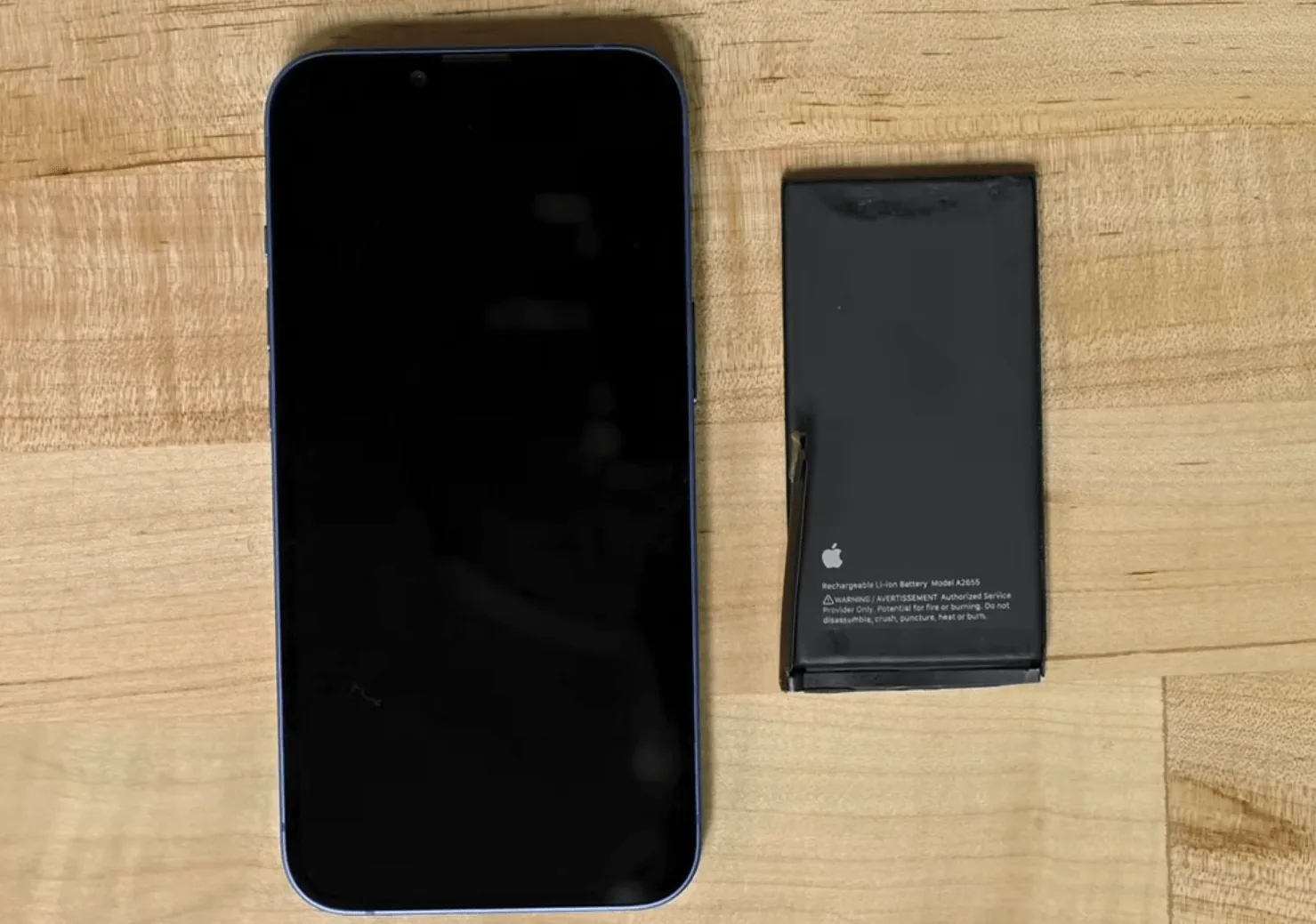
This is the one sign you should never ignore. If your screen is lifting at the edges, the back cover is bulging, or the phone no longer sits flat on a table, the battery is swelling - a build-up of gas inside a failing lithium-ion cell. A swollen battery is a genuine safety hazard: it can rupture, leak, or in rare cases catch fire.
Stop charging and using the phone, do not press on the bulge or try to puncture it, and get the battery replaced or the device safely recycled as soon as possible. This is not a wait-and-see symptom; it needs professional attention right away.
How to check your phone's battery health yourself
You do not have to guess. Most phones let you see roughly how worn the battery is:
- iPhone: Go to Settings > Battery > Battery Health & Charging and look at Maximum Capacity. That percentage is your battery's current capacity versus new. Apple flags batteries that need service, and once you are drifting toward 80% or below, replacement is worth considering.
- Samsung: Open Settings > Battery and device care > Diagnostics, or the Samsung Members app, to view battery status and life.
- Other Android phones: Recent Pixels show a battery health section in Settings > Battery, and on many other Androids the dialer code
*#*#4636#*#*opens a testing menu with basic battery information. A free app such as AccuBattery can also estimate real-world capacity over a few charge cycles.
If your capacity number is low and you are seeing the symptoms above, the battery is worn - not something you can fix in settings.
What to try before replacing the battery
A few battery complaints are really software, and those are worth ruling out first because they cost nothing:
- Check for a rogue app. On iPhone, Settings > Battery shows which apps use the most power; on Android, Settings > Battery does the same. An app that suddenly dominates the list may just need updating or reinstalling.
- Install pending updates. Operating-system and app updates often fix battery-draining bugs, especially in the weeks after a major release.
- Restart the phone. A simple reboot clears stuck background processes that can drain and heat the battery.
- Review your settings. Lowering screen brightness, turning off unused location and background app refresh, and enabling Low Power or Battery Saver mode all reduce load.
Here is the honest part: these steps help a healthy battery run its best, but they cannot reverse physical wear. If your battery health is genuinely low, or you are seeing shutdowns, heat, or swelling, no setting will fix it. At that point the fix is a new battery - and to slow the wear on the next one, our guide on keeping your iPhone battery healthy for longer covers the charging habits that matter most.
When to get a professional battery replacement
Swelling aside, which is always immediate, a good rule of thumb is this: when your battery health has dropped below about 80%, or when a worn battery is causing daily shutdowns, constant charging, or overheating, a replacement is the practical fix. It is almost always far cheaper than a new phone, and it instantly restores full-day runtime - and on throttled iPhones, the lost performance too.
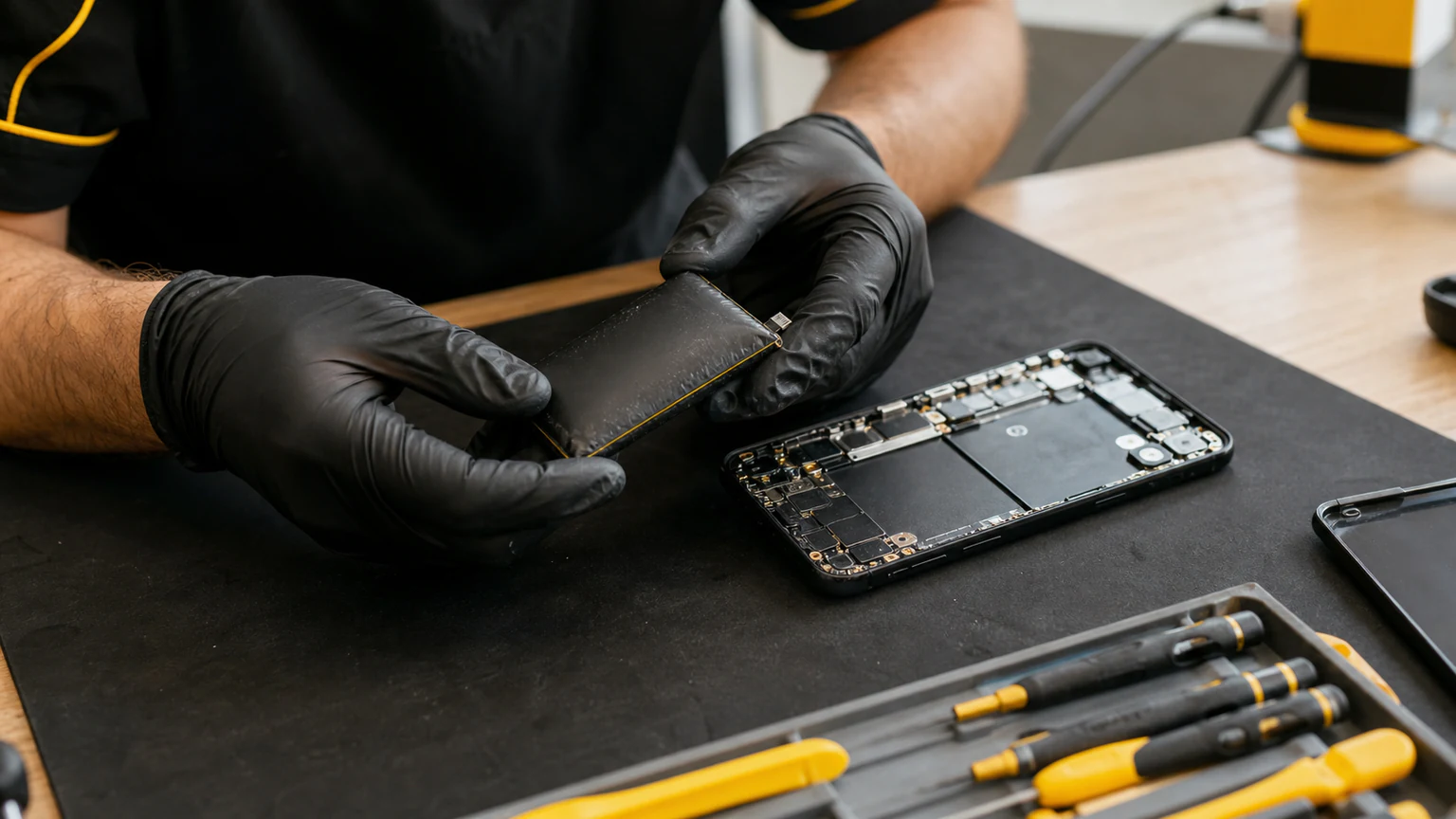
Replacing a modern phone battery is not the simple pop-out job it was a decade ago. Today's batteries sit behind glued panels and strong adhesive, and swollen cells in particular have to be removed carefully. Done wrong, it is easy to puncture the battery or crack the display. This is why a proper phone battery replacement done by a technician - with the right tools, a quality cell, and a safety check afterward - is the route we recommend over a kitchen-table DIY attempt.
Battery replacement at URPhone Store in Orlando
If the signs point to a worn battery, URPhone Store handles professional battery replacement across our three Orlando-area locations. Here is what to expect:
- Free battery check and quote. We test your battery's health and confirm whether replacement is what you actually need before you commit.
- Quality replacement batteries installed by technicians who do this every day, followed by a safety and function check, which matters most with swollen cells.
- Same-day service on common models when parts are in stock, so you are usually not without your phone for long.
- Your data stays put. A battery swap does not erase anything on your phone; your photos, apps, and messages are untouched.
Battery replacement starts from $40, depending on your model, and every repair is backed by our 1-year warranty on parts and labor (which does not cover new accidental or liquid damage after the repair). We service the brands people actually carry, including Apple, Samsung, Google Pixel, OnePlus, LG, Motorola, Nokia, TCL, Revvl, Xiaomi, and Redmi, and our iPhone repair team replaces worn and swollen iPhone batteries daily. Our stores are open Mon-Sat 9 AM-9 PM and Sun 10 AM-9 PM, and we are 4.9-star rated across our three Orlando locations.
Noticing one of the five signs? Call (321) 300-2023 or book a visit and get your battery checked today - and if it is swelling, treat it as urgent and bring it in right away.