
No products in the cart.
Return To Shop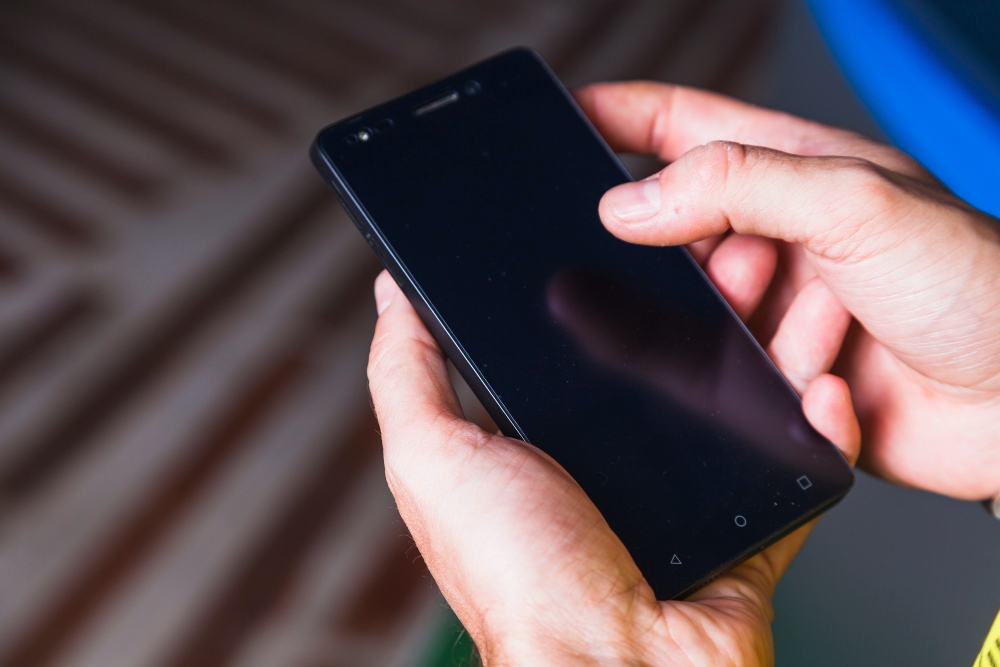
Samsung Screen Auto Touch Making Your Phone Unusable? Try These Proven Solutions
If your Samsung phone starts opening apps, typing messages, or clicking buttons on its own, you’re likely dealing with the Samsung screen auto touch problem, also known as ghost touch. This issue can quickly make your phone frustrating—or completely unusable. The good news? In many cases, the problem can be identified and fixed with the right approach.
Below, we break down why this happens, what you can try at home, and when professional screen repair is the smarter option.
What Causes Samsung Screen Auto Touch?
Auto touch issues usually come from one of these common causes:
- Cracked or damaged screen (even hairline cracks)
- Moisture or water exposure
- Faulty screen protector or tempered glass
- Software bugs or failed updates
- Overheating or charging with low-quality cables
- Worn-out AMOLED display on older devices
Understanding the root cause helps you avoid wasting time on fixes that won’t work.
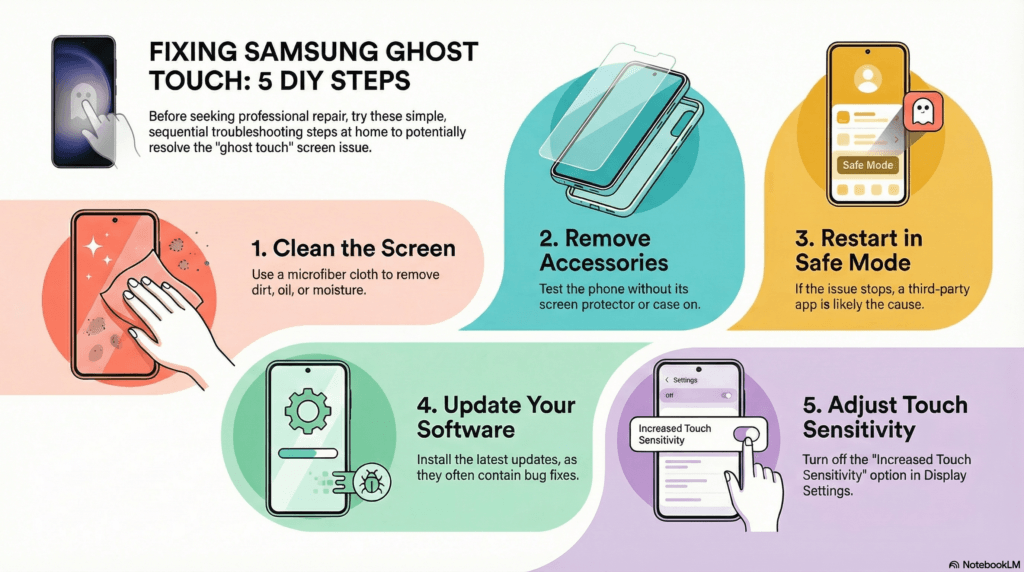
Quick Fixes You Can Try at Home

Before rushing to a repair shop, try these safe and proven solutions:
1. Clean the Screen Thoroughly
- Use a microfiber cloth
- Remove oil, dirt, or moisture
- Avoid chemical cleaners
Sometimes, residue can cause false touch signals.
2. Remove Screen Protector or Case
- Poor-quality tempered glass can interfere with touch sensitivity
- Thick cases may press against the screen edges
Test your phone without them to rule this out.
3. Restart or Safe Mode Test
- Restart the device
- Boot into Safe Mode
- If ghost touch stops, a third-party app may be the problem
4. Check for Software Updates
- Go to Settings > Software Update
- Install the latest firmware
Samsung often releases patches that fix touch-related bugs.
5. Turn Off Increased Touch Sensitivity
- Found under Display Settings
- Especially important if you use gloves or screen protectors
When DIY Fixes Don’t Work
If the auto touch continues after trying the steps above, the issue is likely hardware-related.
Signs You Need Screen Repair
- Touch issues after a drop
- Random taps while charging
- Dead zones mixed with ghost touches
- Flickering or discoloration
- Phone heats up during use
In these cases, a professional screen replacement is usually the only permanent solution.
For users searching for Samsung screen repair in Orlando, fl, choosing a trusted repair provider ensures:
- Proper AMOLED screen calibration
- Use of high-quality replacement parts
- Protection of internal components
Delaying repair can worsen the damage and affect other phone functions.
Why Professional Repair Is Often the Best Solution
Trying to live with ghost touch or using temporary fixes can lead to:
- Accidental calls or messages
- App purchases you didn’t authorize
- Battery drain
- Long-term motherboard damage
A trained technician can accurately diagnose whether the issue is the screen, connector, or internal display layer—and fix it correctly the first time.
Conclusion
The Samsung screen auto touch problem can feel overwhelming, but it’s usually fixable. Start with basic troubleshooting like cleaning the screen, removing accessories, and updating software. If those don’t help, it’s likely time for a screen repair. Acting early not only restores usability but also prevents further damage to your device.
FAQs
1. Why is my Samsung screen touching itself without me using it?
This usually happens due to screen damage, moisture exposure, software glitches, or a faulty display layer causing ghost touch.
2. Can a cracked Samsung screen cause auto touch problems?
Yes. Even minor cracks can interfere with the touch sensors and trigger random taps or swipes.
3. Will a software update fix my Samsung auto touch issue?
Sometimes. If the issue is software-related, updating your phone or removing problematic apps may resolve it.
4. Do I need a screen replacement to fix Samsung ghost touch permanently?
If troubleshooting doesn’t work and the problem is hardware-related, a professional screen replacement is often the most reliable solution.

About author

Related posts
A black or blank Samsung screen can happen suddenly and without warning. While the phone may still be powered on, the display fails to respond... Continue reading
Add comment